Is Xcode DerivedData Safe to Delete? What Happens and How to Clean It
Yes, Xcode DerivedData is safe to delete. Learn what lives inside DerivedData, what actually happens after removing it, and how to clean Xcode caches safely.
Yes—Xcode's DerivedData folder is completely safe to delete. Xcode automatically regenerates everything inside it the next time you open and build a project. The only trade-off is that your next build and index for each project will start from scratch and take longer.
On one developer Mac we measured, ~/Library/Developer/Xcode/DerivedData occupied 15.3 GB (and adjacent Xcode storage was even larger: 24.1 GB in iOS DeviceSupport and 43.0 GB in CoreSimulator/Devices). Your numbers will differ depending on how many projects and iOS SDKs you work with.
What is inside ~/Library/Developer/Xcode/DerivedData?#
Whenever you open a project or workspace in Xcode, it creates a subfolder inside DerivedData containing:
- Build intermediates and compiled binaries (
Build/Intermediates.noindex,Build/Products) - Code completion and navigation indexes (
Index.noindex) - Build and test logs (
Logs) - Resolved Swift Package checkouts (
SourcePackages) when using SwiftPM inside Xcode
None of your source code lives in DerivedData. It is purely generated build output and cache data.
When should you quit Xcode before deleting it?#
Always quit Xcode first before deleting DerivedData. Removing files while Xcode is actively indexing or compiling can cause failed builds or stale editor warnings until you restart Xcode.
Also keep in mind: if a project pulls Swift Packages from the internet, the next open after clearing DerivedData will re-fetch or re-resolve those packages, so avoid wiping it right before boarding a flight without Wi-Fi.
How to check and delete DerivedData manually#
Check how much space Xcode folders occupy (read-only)#
du -sh \
  ~/Library/Developer/Xcode/DerivedData \
  ~/Library/Developer/Xcode/iOS\ DeviceSupport \
  ~/Library/Developer/CoreSimulator/Devices \
  ~/Library/Developer/Xcode/Archives 2>/dev/null
Option 1: Remove via Finder#
- Quit Xcode.
- In Finder, press
Shift + Command + G. - Paste
~/Library/Developer/Xcode/DerivedDataand press Return. - Select the project folders you no longer need (or everything inside
DerivedData) and move them to the Trash, then empty the Trash.
Option 2: Remove via Terminal#
# Quit Xcode first, then clear the contents of DerivedData
rm -rf ~/Library/Developer/Xcode/DerivedData/*
Option 3: Check other Xcode folders carefully#
| Folder | Safe to delete? | What happens |
|---|---|---|
DerivedData | Yes (rebuilt automatically) | Next build & index takes longer |
iOS DeviceSupport (older versions) | Usually yes | Xcode re-copies symbols if you reconnect an older iOS device |
CoreSimulator/Caches | Yes (when simulators are shut down) | Simulator regenerates caches as needed |
Xcode/Archives | Review carefully | Contains .xcarchive builds & dSYMs used to symbolicate App Store crash logs—do not delete blindly |
How CleanBit handles Xcode storage#
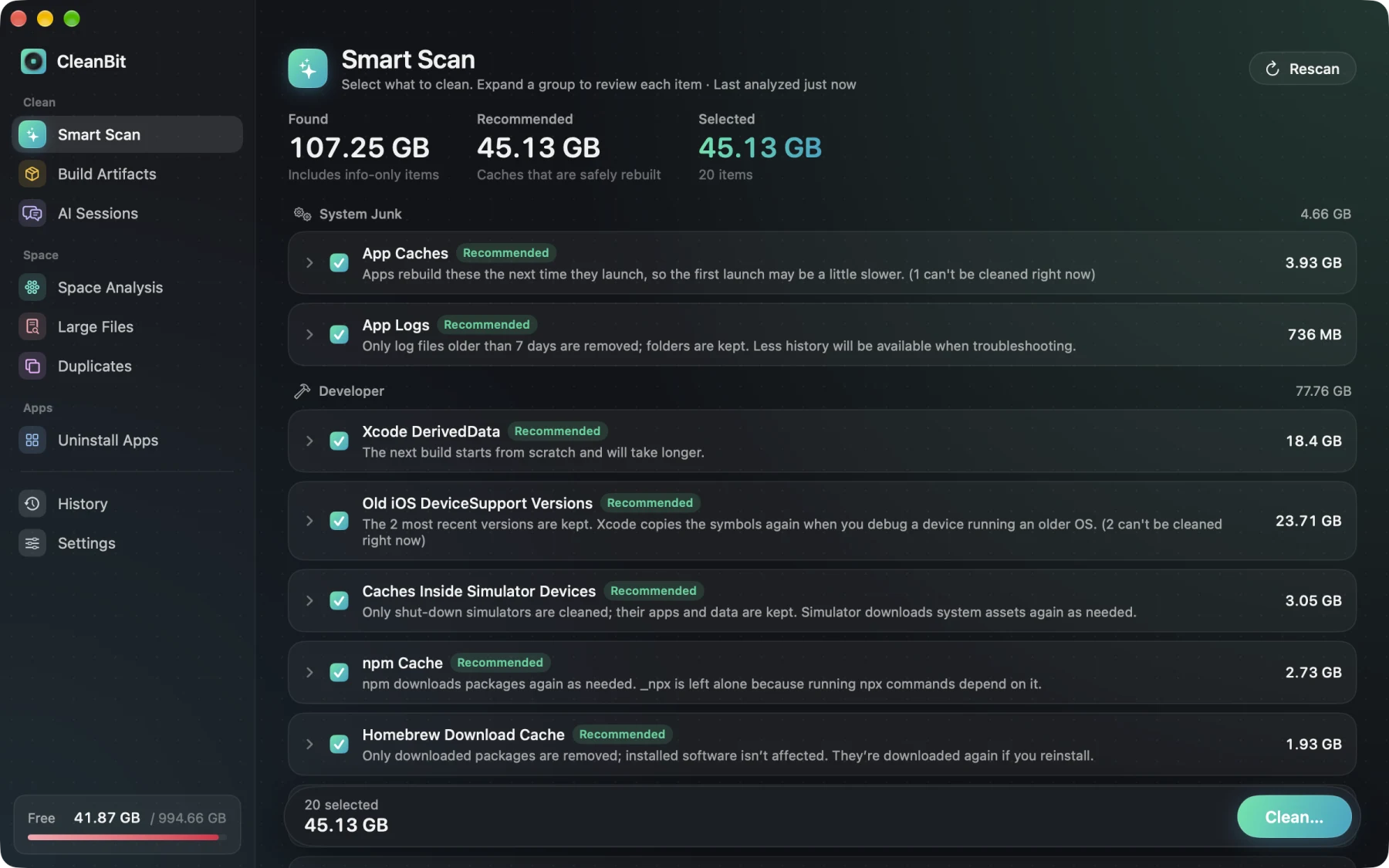
I'm the developer of CleanBit, a sandboxed Mac App Store disk space cleaner for macOS 15+. CleanBit separates Xcode folders by risk instead of lumping them together:
- Recommended (rebuilds automatically):
Xcode DerivedData, oldiOS DeviceSupportversions (keeping the 2 most recent), SwiftUI Preview Data, and caches inside shut-down Simulator devices. Caches of apps that are currently running are blocked automatically. - Review (not pre-selected, always moved to Trash):
Xcode Archives, so you don't accidentally wipe shipped build archives. - Before confirming, CleanBit splits how much will be permanently deleted vs. moved to the Trash—and you can switch Recommended caches to Trash in Settings if you prefer.
Frequently Asked Questions#
Will deleting DerivedData delete my source code or Git history?#
No. Your source code and .git repository live in your project directory, not in ~/Library/Developer/Xcode/DerivedData.
How often should I clear Xcode DerivedData?#
You don't need to clear it on a strict schedule. Clearing it once every few weeks—or whenever you finish a major project, upgrade Xcode, or see unexplained build glitches—is usually enough.
Does deleting DerivedData break Swift Package Manager dependencies?#
No, your package list is defined in Package.swift or your .xcodeproj and Package.resolved. Xcode will re-resolve and rebuild packages automatically the next time you open the project (an internet connection may be required if packages are not cached elsewhere).
Written by the CleanBit developer with AI assistance. All measurements were taken on a real developer Mac.