Claude Code, Cursor and Codex Eating Disk Space on Your Mac? Here's Where It Goes
Find out why Claude Code, Cursor, and Codex consume gigabytes on macOS. Includes real developer Mac measurements, read-only audit commands, and safe cleanup steps.
AI coding agents eat disk space on macOS in four places: conversation transcripts (often bloated with base64 screenshots), leftover binary versions and Electron caches, duplicated build folders inside git worktree sandboxes, and local model weights. If you run Claude Code, Codex, or Cursor daily, it is common to lose tens of gigabytes within a few weeks—even if your own source code is tiny.
On one developer Mac we measured (read-only du across the home folder), AI tooling directories alone held ~/.claude at 1.9 GB, ~/.local/share/claude at 902 MB, ~/.codex at 5.2 GB, and ~/.cache/huggingface at 17.0 GB—on top of 304 node_modules folders occupying 66.3 GB, 8 .venv folders (5.1 GB), and 7 .build folders (2.9 GB). Heavy agent users report even steeper spikes: in one r/ClaudeCode discussion on a 256 GB Mac, ~/.claude/projects reached 11 GB (with a single 262 MB .jsonl session full of embedded screenshots), ~/.codex grew by roughly 650 MB per day, /private/tmp accumulated 26 DerivedData copies (6.5 GB), and another developer's agent worktrees grew a workspace to 95 GB.
1. Run a read-only audit first#
Before deleting anything, measure where the gigabytes actually sit on your Mac. The command below is read-only and prints sizes for Claude Code, Codex, Cursor, local model caches, and /private/tmp:
du -sh \
  ~/.claude \
  ~/.claude/projects \
  ~/.local/share/claude/versions \
  ~/Library/Application\ Support/Claude \
  ~/.codex \
  ~/.codex/sessions \
  ~/.codex/worktrees \
  ~/.claude/worktrees \
  ~/Library/Application\ Support/Cursor \
  ~/.cursor \
  ~/.cache/huggingface \
  ~/.ollama/models \
  ~/.lmstudio/models \
  /private/tmp 2>/dev/null
To see your largest individual Claude Code or Codex session logs (.jsonl):
find ~/.claude/projects ~/.codex/sessions ~/.codex/archived_sessions \
-name '*.jsonl' -exec du -h {} + 2>/dev/null | sort -h | tail -202. Where Claude Code, Codex, and Cursor store data#
| Location | What lives inside | Safe to clean? | Manual cleanup | CleanBit coverage |
|---|---|---|---|---|
~/.local/share/claude/versions | Previous Claude Code binaries kept after updates | Yes (keep active version) | Keep the target of ~/.local/bin/claude, remove older versions | Recommended (Old Claude Code Versions; keeps active symlink + newest version) |
~/.claude/projects/*/*.jsonl | Claude Code conversation transcripts & tool outputs | Review (deletes chat history) | Delete old .jsonl files by age; avoid touching memory/ subdirectories | AI Sessions (scans top-level .jsonl only, skips memory/, moves to Trash) |
~/Library/Application Support/Claude caches & ~/Library/Caches/com.anthropic.claudefordesktop | Claude Desktop Electron web/GPU caches & update downloads | Yes (quit Claude first) | Quit Claude Desktop, clear Cache, Code Cache, GPUCache, and ~/Library/Caches/com.anthropic.claudefordesktop | Recommended (blocked while Claude Desktop is running) |
~/.codex/sessions & ~/.codex/archived_sessions | Codex CLI/App JSONL session logs | Review (deletes chat history) | Delete old .jsonl files by modified date | AI Sessions (filters by age, moves to Trash) |
~/.claude/worktrees & ~/.codex/worktrees (and repo worktrees) | Isolated git worktree checkouts, each with its own node_modules, target, or .build | Review (check unmerged work first) | Run git worktree list / git worktree remove or delete build folders inside idle worktrees | Build Artifacts scans ~/.claude/worktrees, ~/.codex/worktrees, and visible home folders (skips Git-tracked files; moves build folders to Trash, never deletes source) |
~/Library/Application Support/Cursor | Cursor Electron caches, workspaceStorage, and globalStorage/state.vscdb | Caches only (keep settings/extensions) | Quit Cursor; clear Cache, CachedData, Code Cache, GPUCache, DawnGraphiteCache; audit old workspaceStorage folders carefully | Manual only (CleanBit does not include a dedicated Cursor cleaner rule) |
~/.cache/huggingface, ~/.ollama/models, ~/.lmstudio/models, ~/.cache/torch | Local LLM & ML model weights | Manual / intentional | Use ollama rm <model>, LM Studio UI, or huggingface-cli delete-cache | Info Only (shows size; never deleted by CleanBit) |
/private/tmp | Temporary build copies (e.g., agent-created Xcode DerivedData) | Usually yes after reboot/quitting tools | Reboot macOS or inspect before removing specific temporary build folders | Outside sandbox (CleanBit cannot read or clean /private/tmp) |
3. Manual cleanup commands (step by step)#
Clean old Claude Code versions (keeping the active binary)#
Check which binary ~/.local/bin/claude currently points to before removing older folders in ~/.local/share/claude/versions:
ls -la ~/.local/bin/claude
ls -lh ~/.local/share/claude/versions
Remove only older version entries that are not the symlink target or the latest version.
Review old Claude Code and Codex session transcripts#
List .jsonl transcripts older than 30 days without deleting anything:
find ~/.claude/projects -maxdepth 2 -name '*.jsonl' -mtime +30 -exec du -h {} + 2>/dev/null | sort -h
find ~/.codex/sessions ~/.codex/archived_sessions -name '*.jsonl' -mtime +30 -exec du -h {} + 2>/dev/null | sort -h
Note the -maxdepth 2 on ~/.claude/projects: this targets session .jsonl files directly inside each project folder and leaves memory/ files untouched. Once you have checked the list, move unwanted transcripts to the Trash or remove the specific files you no longer need to resume.
Audit Cursor storage manually#
CleanBit does not have a dedicated Cursor rule, so handle Cursor manually after quitting Cursor completely:
# Check Cursor's largest subfolders first (read-only)
du -sh ~/Library/Application\ Support/Cursor/* 2>/dev/null | sort -h | tail -15
Subfolders like Cache, CachedData, Code Cache, GPUCache, DawnGraphiteCache, and DawnWebGPUCache inside ~/Library/Application Support/Cursor/ are Chromium/Electron caches that Cursor rebuilds on next launch. Be careful with User/ (your settings and keybindings), globalStorage/ (chat history and extension state), and workspaceStorage/ (per-workspace chat and index state).
Find forgotten git worktree checkouts and their build folders#
When an AI coding agent spawns a separate git worktree per task, each checkout can install its own node_modules, Rust target, or Swift .build directory. Check active worktrees inside any repository:
cd ~/Repos/your-project
git worktree list
If a worktree branch is already merged and has no uncommitted changes, remove it cleanly through Git rather than rm -rf:
git worktree remove /path/to/old-worktree
git worktree prune
To see all node_modules or Rust target folders piling up across your workspace (including worktrees), see our dedicated guide on finding and deleting old node_modules folders on a Mac and cleaning Xcode DerivedData safely.
Check /private/tmp and local AI models#
/private/tmp: Some agent runs redirect temporary build outputs (like XcodeDerivedDataor test sandboxes) into/private/tmp. Because/private/tmpsits outside your home folder, sandboxed Mac App Store apps cannot inspect or clean it. A normal macOS restart clears stale/private/tmpitems, or you can inspect/private/tmpin Terminal when no builds are running.- Local models: Reclaim Ollama models with
ollama listfollowed byollama rm <model>. For Hugging Face caches (~/.cache/huggingface/hub), usehf cache scan/huggingface-cli delete-cacheso you don't accidentally re-download a 15 GB model you still use.
4. What CleanBit covers (and what it deliberately leaves alone)#
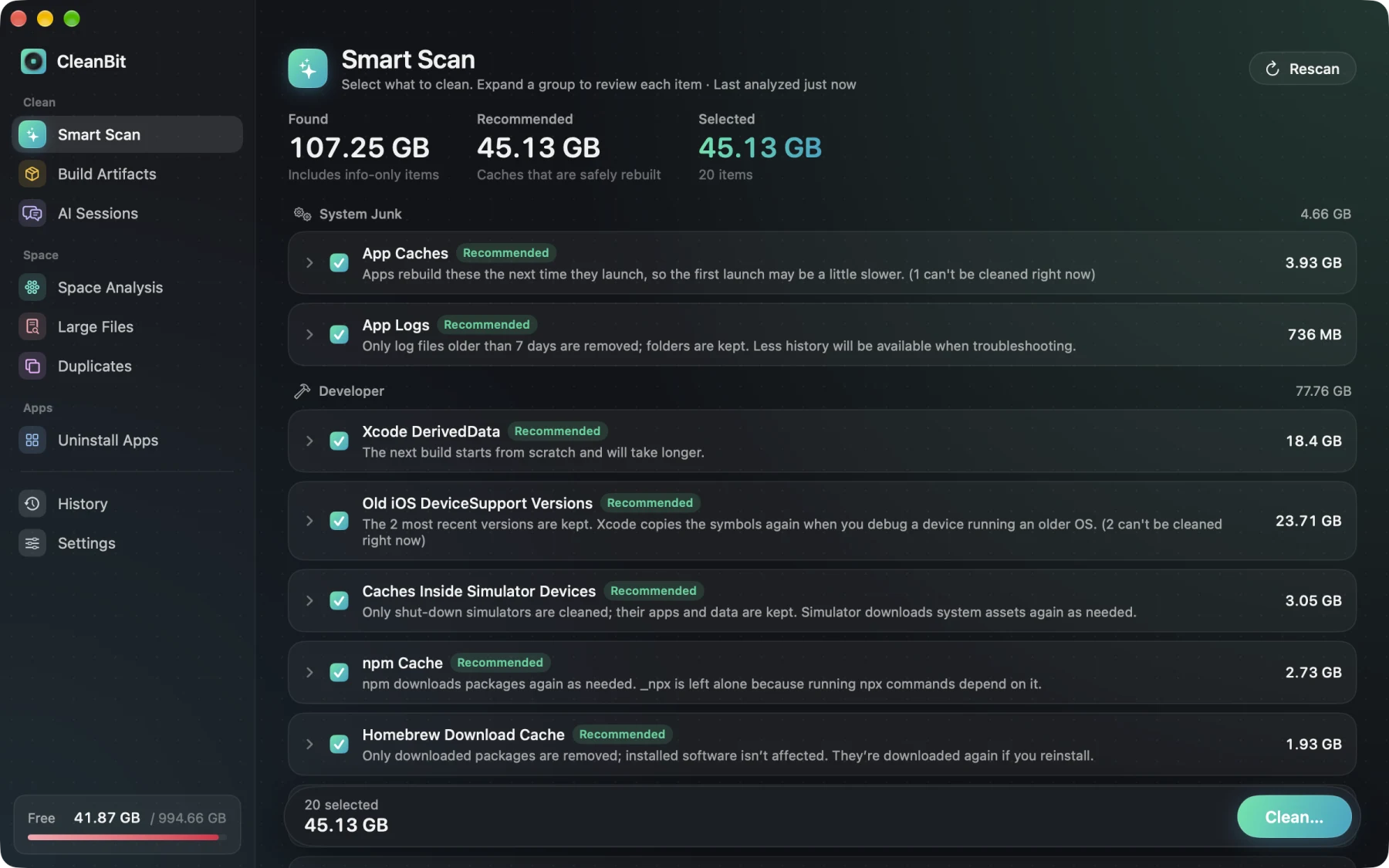
I'm the developer of CleanBit, a sandboxed Mac App Store disk space cleaner for macOS 15+. Because AI coding directories mix disposable caches with irreplaceable chat history and source code, CleanBit splits them by risk rather than offering a single blind button:
- Smart Scan (Recommended): Finds Old Claude Code Versions (
~/.local/share/claude/versions, automatically preserving the active symlink target and newest version) and Claude Desktop Caches (blocked while Claude Desktop is running). On the developer Mac we measured, the engine found 945.9 MB of Claude Code versions (598.5 MB safely cleanable) and 57.5 MB of Claude Desktop cache. - AI Sessions (Review, moved to Trash): Lets you pick an age threshold (such as older than 30 days) and inspect
.jsonltranscripts in~/.claude/projects(without enteringmemory/),~/.codex/sessions, and~/.codex/archived_sessions. Nothing is pre-selected, and removed transcripts move to the Trash. - Build Artifacts (Review, moved to Trash): Scans your visible home folders plus
~/.claude/worktreesand~/.codex/worktreesfornode_modules,target,.build,.venv,Pods, and more. CleanBit parses.gitfiles (includinggitdir:pointers used by git worktrees) to skip Git-tracked directories, and moves selected build folders to the Trash without touching your source code or the worktree itself. (Worktrees placed inside hidden subfolders such as<repo>/.claude/worktreesare skipped during recursive traversal—usegit worktree listfor those.) - Info Only (never deleted): Local model caches for Hugging Face, Ollama, LM Studio, and PyTorch are shown for visibility only so you know where those gigabytes went.
- Outside the App Sandbox: CleanBit does not require root privileges or a background daemon, so it cannot touch
/private/tmp, APFS local snapshots, or system caches, and it currently does not include a dedicated Cursor rule.
Frequently Asked Questions#
Will deleting ~/.claude/projects/*.jsonl erase my Claude Code CLAUDE.md or project memory?#
No, as long as you only delete the .jsonl session transcript files at the top level of each project folder under ~/.claude/projects and do not delete the memory/ subdirectory or CLAUDE.md files inside your repositories. Removing a .jsonl transcript only prevents resuming that specific past conversation.
Why did my Mac fill up so fast while using Claude Code or Codex?#
Three factors compound quickly: screenshots pasted into agent chats get stored as base64 data inside .jsonl transcripts; each git worktree created for parallel tasks often installs its own full copy of node_modules, Rust target, or Swift .build; and background tool runs can accumulate package caches (npm, uv, Cargo) or temporary Xcode builds.
Does CleanBit clean Cursor caches or /private/tmp?#
No. CleanBit currently does not have a dedicated Cursor cleaner rule, and because CleanBit runs inside Apple's Mac App Store App Sandbox without root access, it cannot read or delete files in /private/tmp outside your home folder. Use the manual commands in Section 3 for both.
Can CleanBit delete my local Ollama or Hugging Face models by mistake?#
No. Local model directories (~/.ollama/models, ~/.lmstudio/models, ~/.cache/huggingface/hub, and ~/.cache/torch) are marked Info Only in CleanBit—they are listed so you can see their size, and cannot be selected for deletion.
Written by the CleanBit developer with AI assistance. All measurements were taken on a real developer Mac.