
How to Find and Delete Old node_modules Folders on a Mac
Measure how much space old node_modules folders take on macOS, remove them safely from Terminal, and avoid breaking active or pnpm projects.
Yes—you can safely delete node_modules folders in inactive projects on macOS. Every package inside node_modules can be reinstalled later with npm install, yarn, pnpm install, or bun install as long as your package.json and lockfile are intact.
If you build side projects or use AI coding tools like Claude Code, Cursor, or Codex, node_modules folders pile up quickly across dozens of folders and git worktree checkouts you no longer open (for the full breakdown of agent sessions, worktrees, and model caches, see our Claude Code, Cursor, and Codex disk space guide). On one developer Mac we measured (macOS home folder, excluding ~/Library), there were 304 node_modules folders occupying 66.3 GB in total—alongside 8 .venv folders (5.1 GB) and 7 .build folders (2.9 GB). Every machine varies widely, so start by measuring your own.
1. Measure how much space node_modules takes on your Mac#
Before deleting anything, run a read-only command to list the largest top-level node_modules directories inside your home folder. Using -prune is important because it stops find from descending into nested node_modules directories and double-counting them:
find ~ \( -path ~/Library -o -path ~/.Trash -o -name .git \) -prune -o \
  -type d -name node_modules -prune -exec du -sh {} + 2>/dev/null \
  | sort -h | tail -25
To count how many node_modules directories exist in your workspace folder (for example ~/Projects):
find ~/Projects -name node_modules -type d -prune | wc -l2. Check when each project was last touched#
Deleting node_modules in a project you are actively running will break your dev server until you reinstall. Filter by projects whose node_modules hasn't been modified in more than 60 days:
find ~/Projects -name node_modules -type d -prune -mtime +60 -exec du -sh {} + 2>/dev/null | sort -h3. When you should NOT delete node_modules blindly#
- Active projects: Any project currently running a dev server, watcher, or build process.
- Git-tracked
node_modules: Rare, but some legacy repositories commit vendored dependencies into Git. Check withgit ls-files node_modules | headfirst. - Projects using
pnpm:pnpmhard-links files from its shared store (~/Library/pnpm) into each project'snode_modules. Deleting one project'snode_modulesmay not reclaim the full size shown byduuntil you runpnpm store prune. - Offline travel: If you need to work on a project without internet access, keep its
node_modulesuntil you're back online.
4. Delete old node_modules safely from Terminal#
Instead of permanently destroying directories with rm -rf, a safer habit on macOS is moving selected folders to the Trash or using npx npkill interactively inside a specific projects directory:
# Option A: Inspect and delete interactively inside a single folder
cd ~/Projects
npx npkill

# Option B: Reclaim unreferenced packages from the pnpm store
pnpm store prune
If you prefer deleting a single specific folder once you have verified the path:
rm -rf ~/Projects/old-demo/node_modules5. Inspect and clean visually with CleanBit#
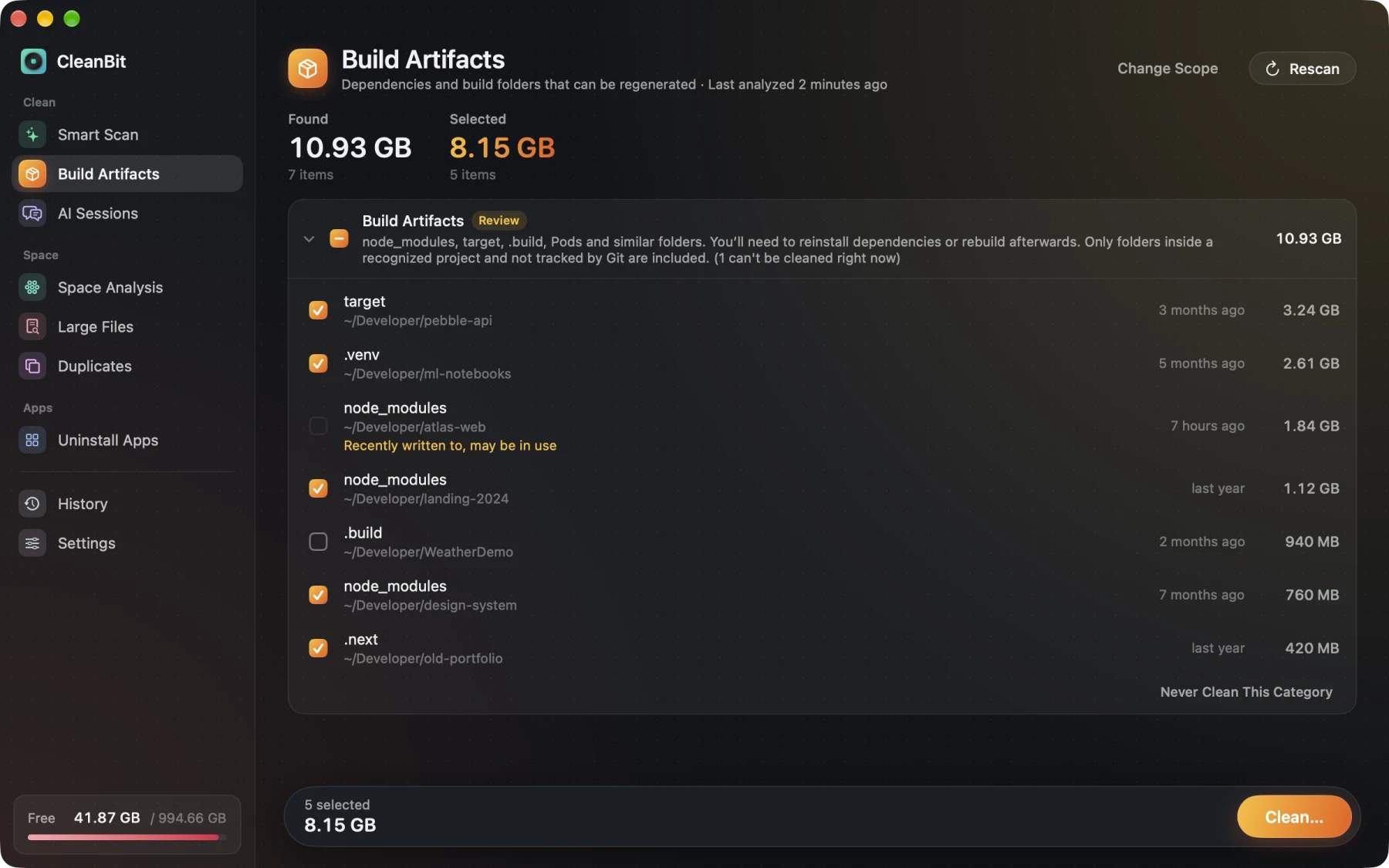
I'm the developer of CleanBit, a sandboxed Mac App Store disk space cleaner for macOS 15+. If you don't want to write find commands or worry about wiping something Git tracks:
- Build Artifacts scans
node_modules,target,.build,.venv, andPodsacross the folders you grant and shows when each project was last modified. - Anything tracked by Git is automatically skipped, and recently modified folders are flagged as in use.
- Project build folders are categorized as Review (never pre-selected) and are always moved to the Trash, so you can put them back if you need to.
- CleanBit also shows your
pnpmstore as Info Only (never deleted directly) and reminds you to usepnpm store prune.
Frequently Asked Questions#
Is it safe to delete node_modules on a Mac?#
Yes, as long as the project is not currently running and its package.json (and lockfile) is intact. You will simply need to run npm install (or your package manager's install command) the next time you work on that project.
Why didn't my free disk space increase immediately after deleting node_modules?#
Two common reasons: if you moved folders to the Trash, space isn't reclaimed until you empty the Trash; and if the project used pnpm, packages are hard-linked to the shared store—run pnpm store prune to free unreferenced packages. macOS may also hold purgeable space or APFS local snapshots temporarily.
Does deleting node_modules affect global npm packages or Node.js itself?#
No. Project-level node_modules folders only contain dependencies for that specific project. Your Node.js installation, global CLI tools, and source code remain untouched.
Written by the CleanBit developer with AI assistance. All measurements were taken on a real developer Mac.